Restaurants
The till for restaurants, bars and cafés.
More time for your guests: orders go from the phone straight to the kitchen, reservations land in the floor plan. And the POS keeps running even when the internet is flaky.

A day with shoptimo
From mise en place to the Z report.
BeforeThe phone rings, the reservation book is at the back of the bar.
With shoptimo
The evening is already planned.
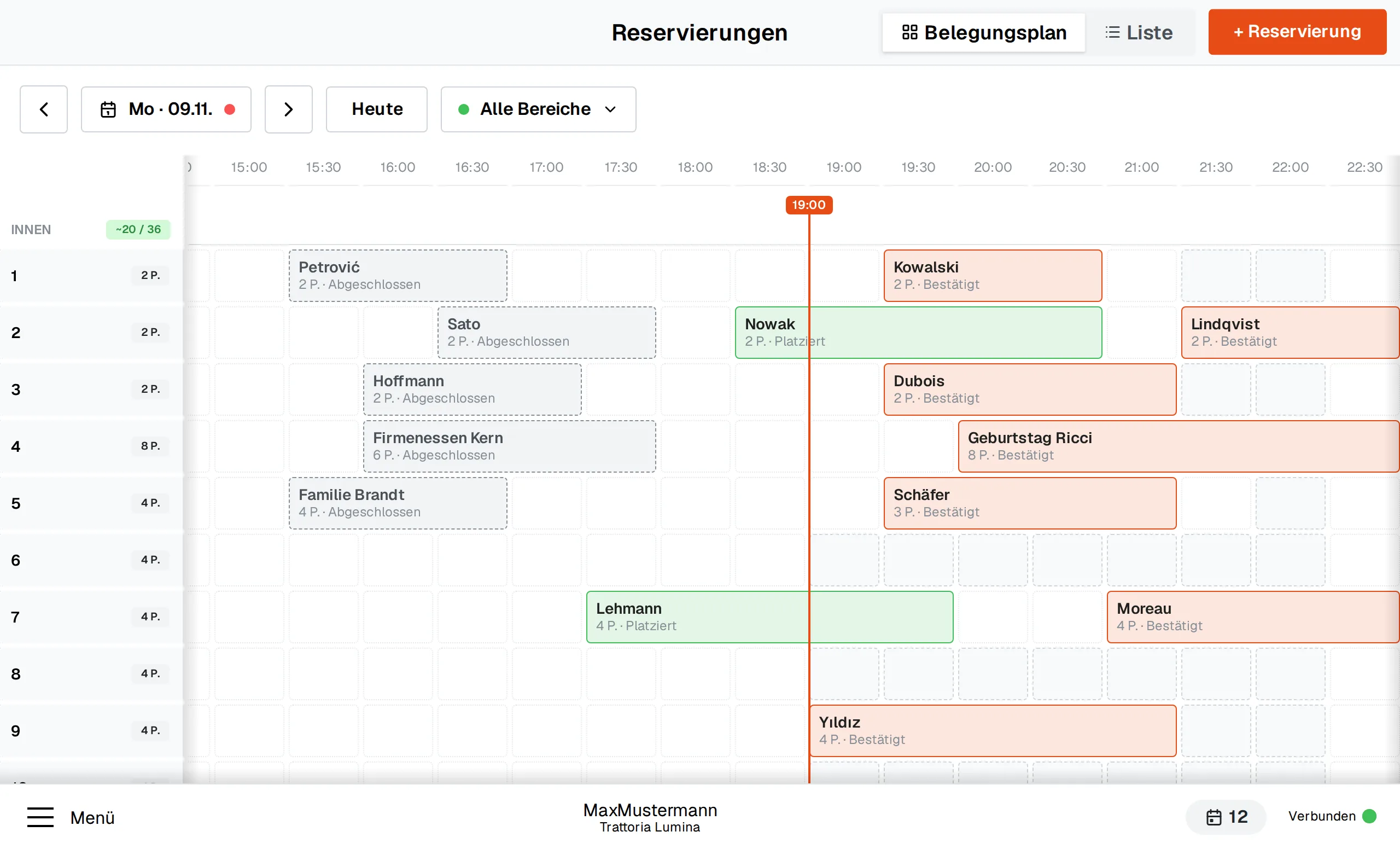
Guests reserve online via your website. The occupancy plan shows which table is free when – the party of eight gets table 4, the note is already at the table.


- New reservation · 8 people
Before
The phone rings, the reservation book is at the back of the bar.With shoptimo
The evening is already planned.
Guests reserve online via your website. The occupancy plan shows which table is free when – the party of eight gets table 4, the note is already at the table.
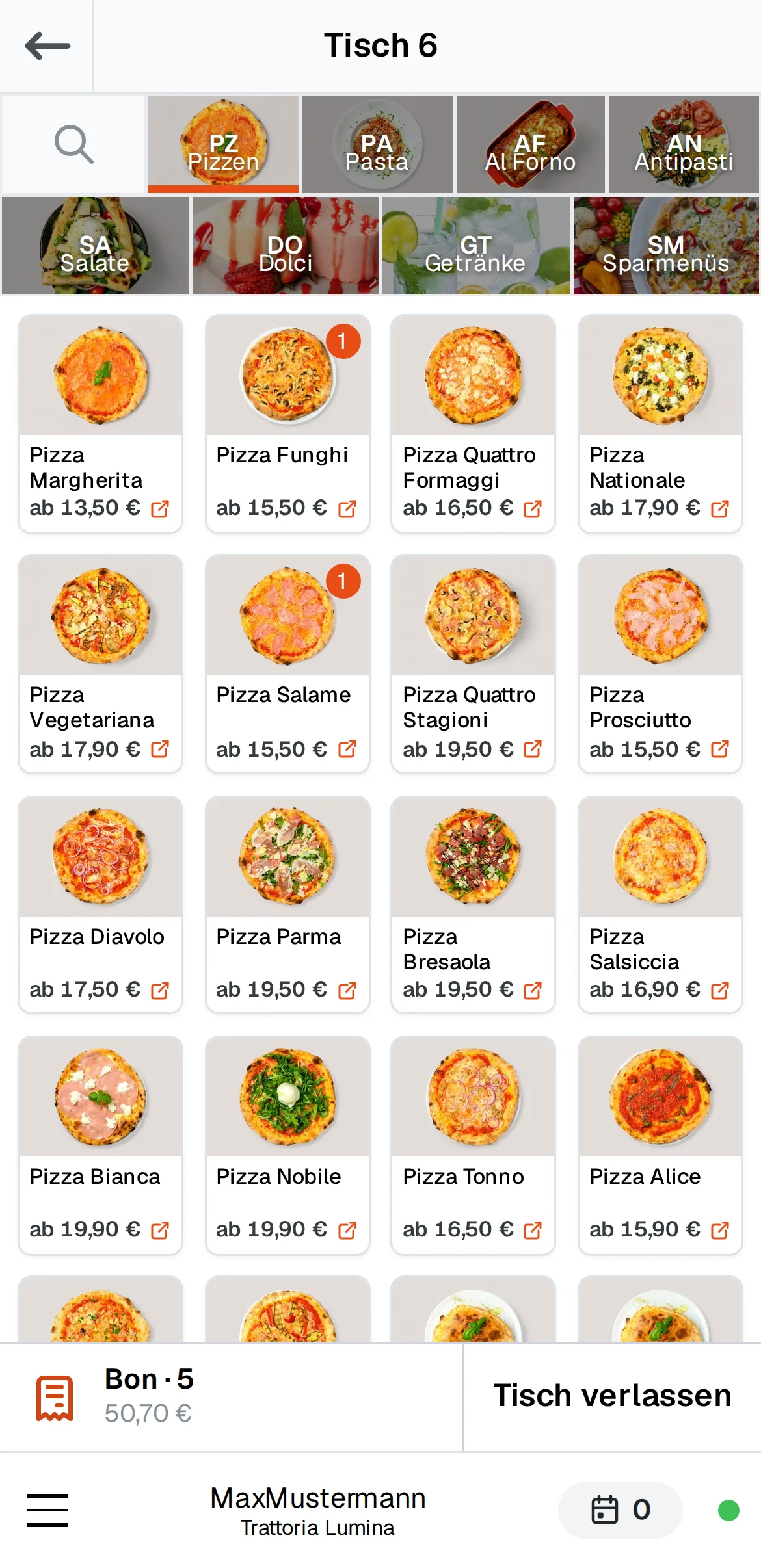
- Ticket to kitchen and bar
Before
Order on a pad, then to the till, then to the kitchen.With shoptimo
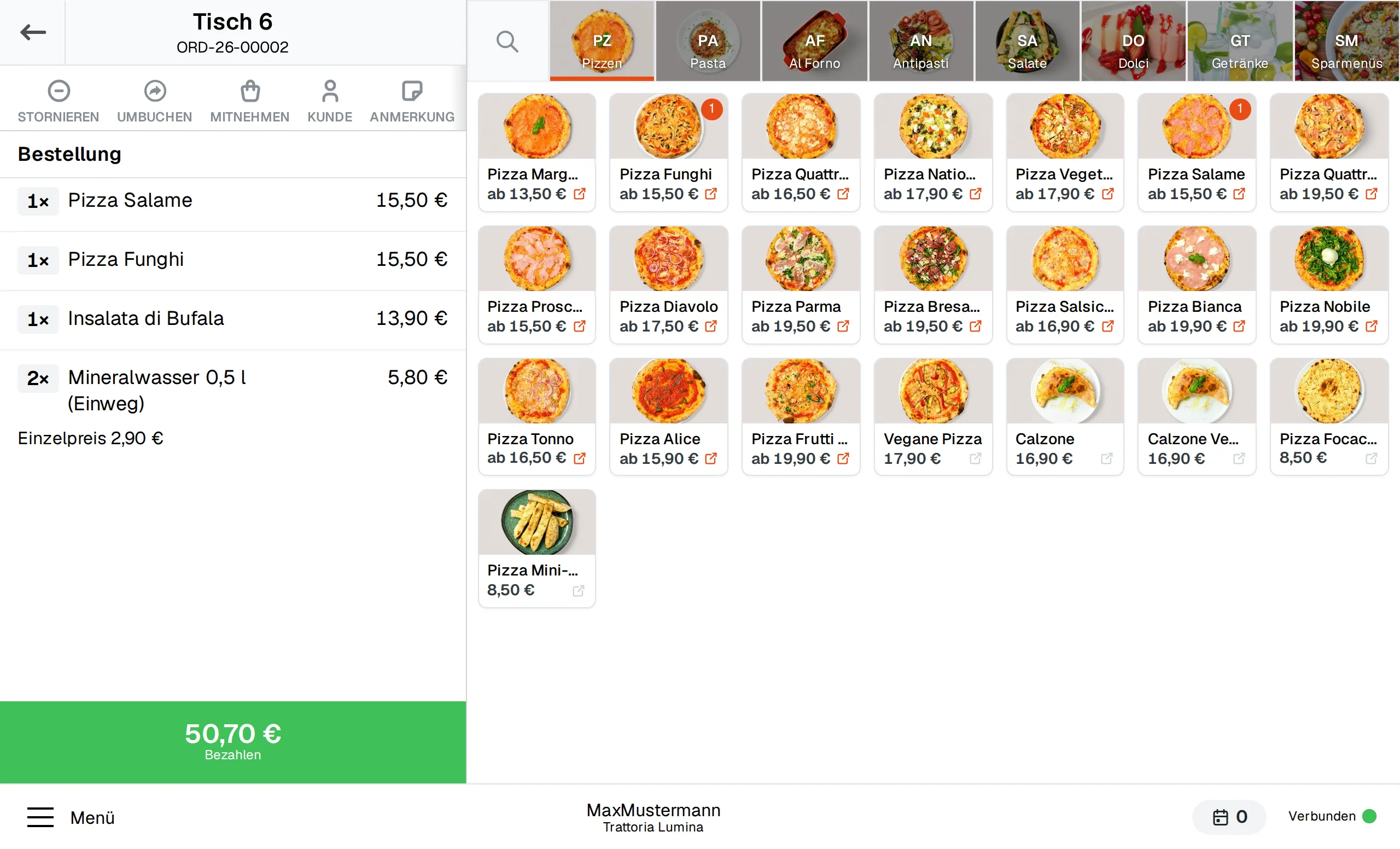
Entered at the table, instantly in the kitchen.
Your team enters orders directly on the phone. The kitchen prints the food, the bar the drinks – nobody walks to the POS any more.
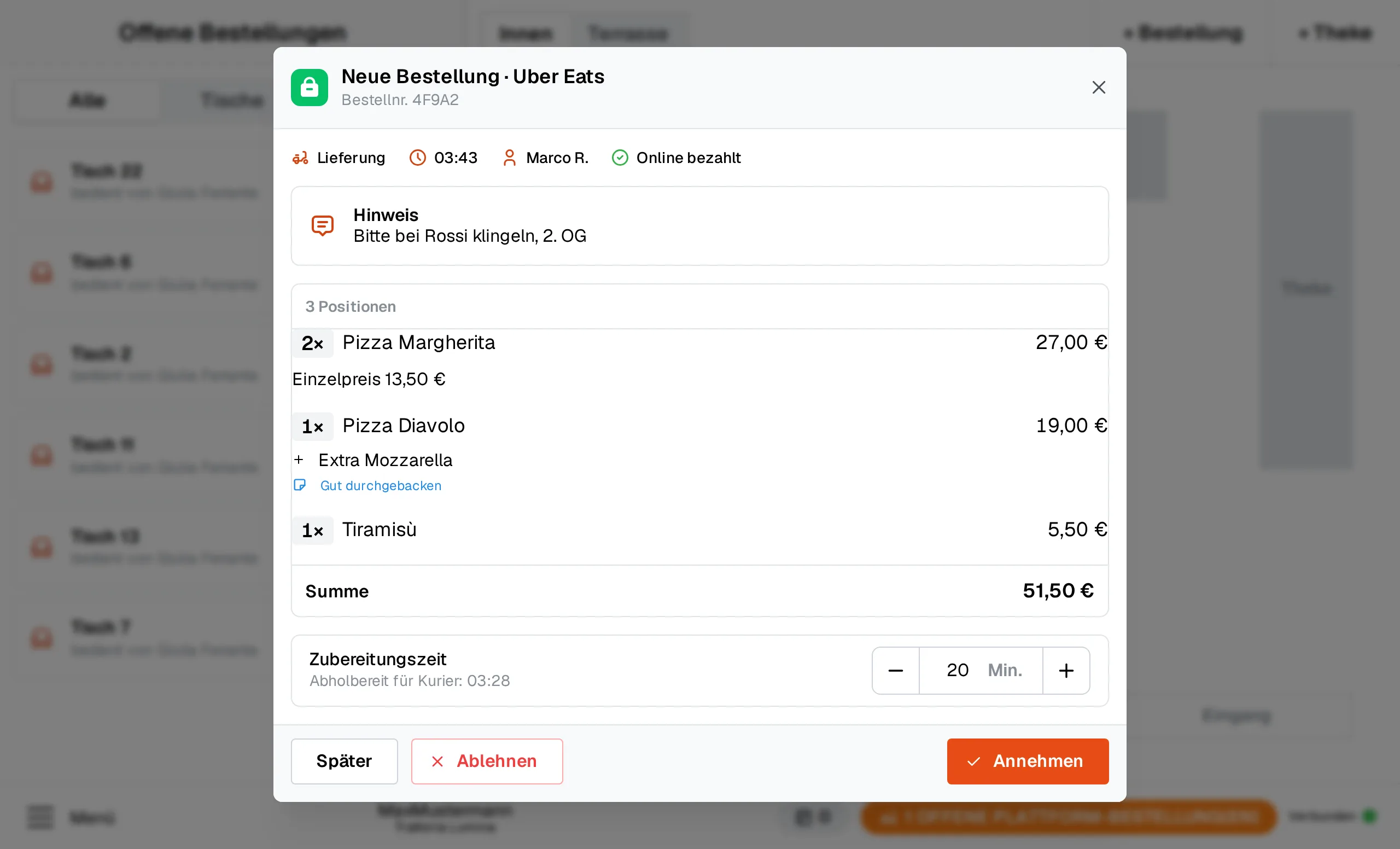
- Lieferando order #4821 · 24,90 €Accepted
Before
Three tablets on the counter, every platform beeps differently.With shoptimo
All delivery orders in one list.
Orders from Lieferando, Uber Eats and Wolt appear next to your tables and go to the kitchen as a ticket. Settlement is per channel.
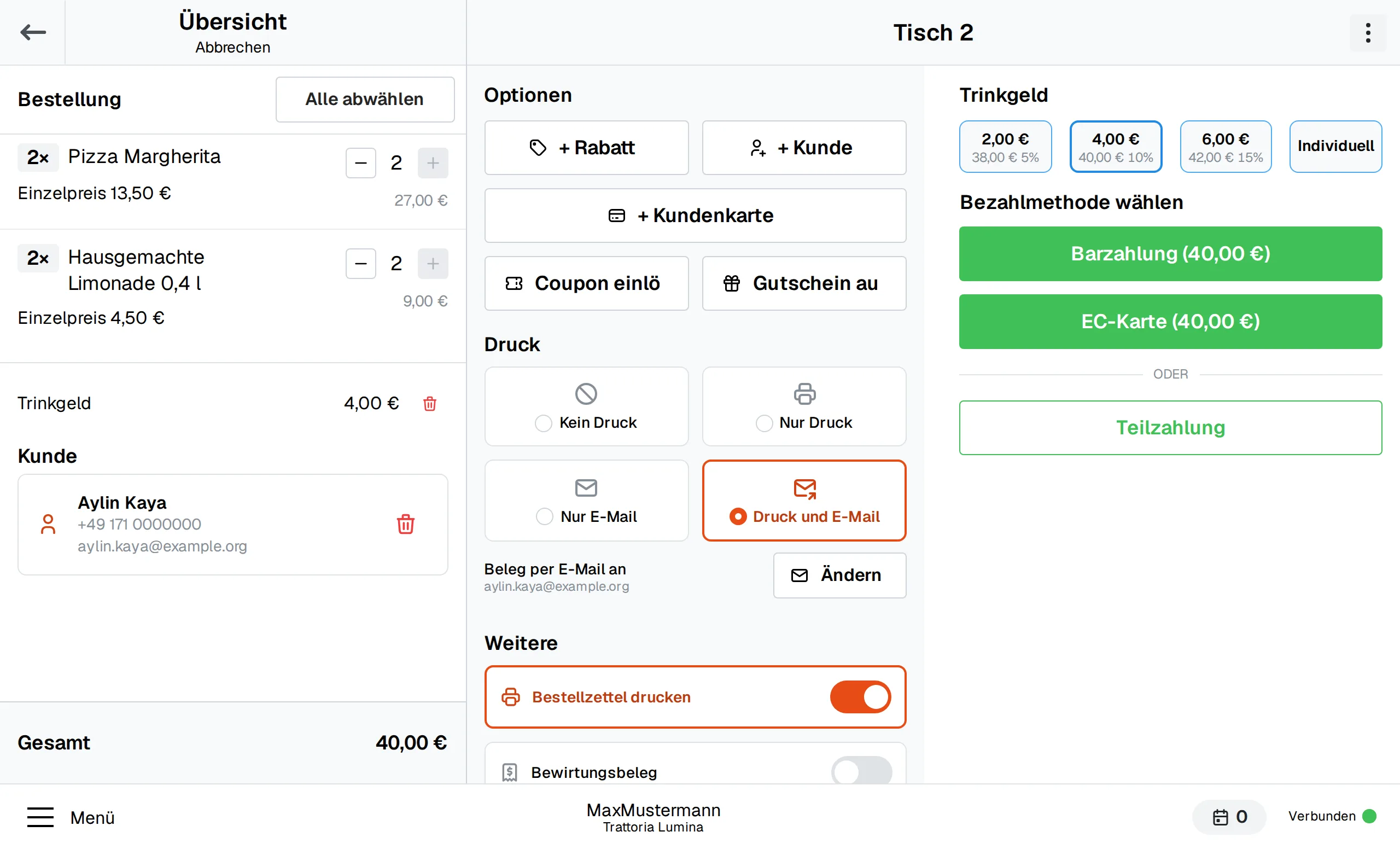
- 12 guests · paid individually
Before
Twelve guests at one table, each wants to pay separately.With shoptimo
Split the bill without doing maths.
Tap items, settle individually, tip straight onto the card. The amount goes to the terminal, the stamp to the loyalty card.
- Offline – till keeps running
Before
Friday night, full house – and the router gives up.With shoptimo
The POS simply keeps working.
With the on-site POS everything keeps running without internet – tables, kitchen tickets, TSE. Once the line is back, everything syncs by itself.
- DATEV export to your accountant
Before
After closing, still counting slips and compiling lists for the tax advisor.With shoptimo
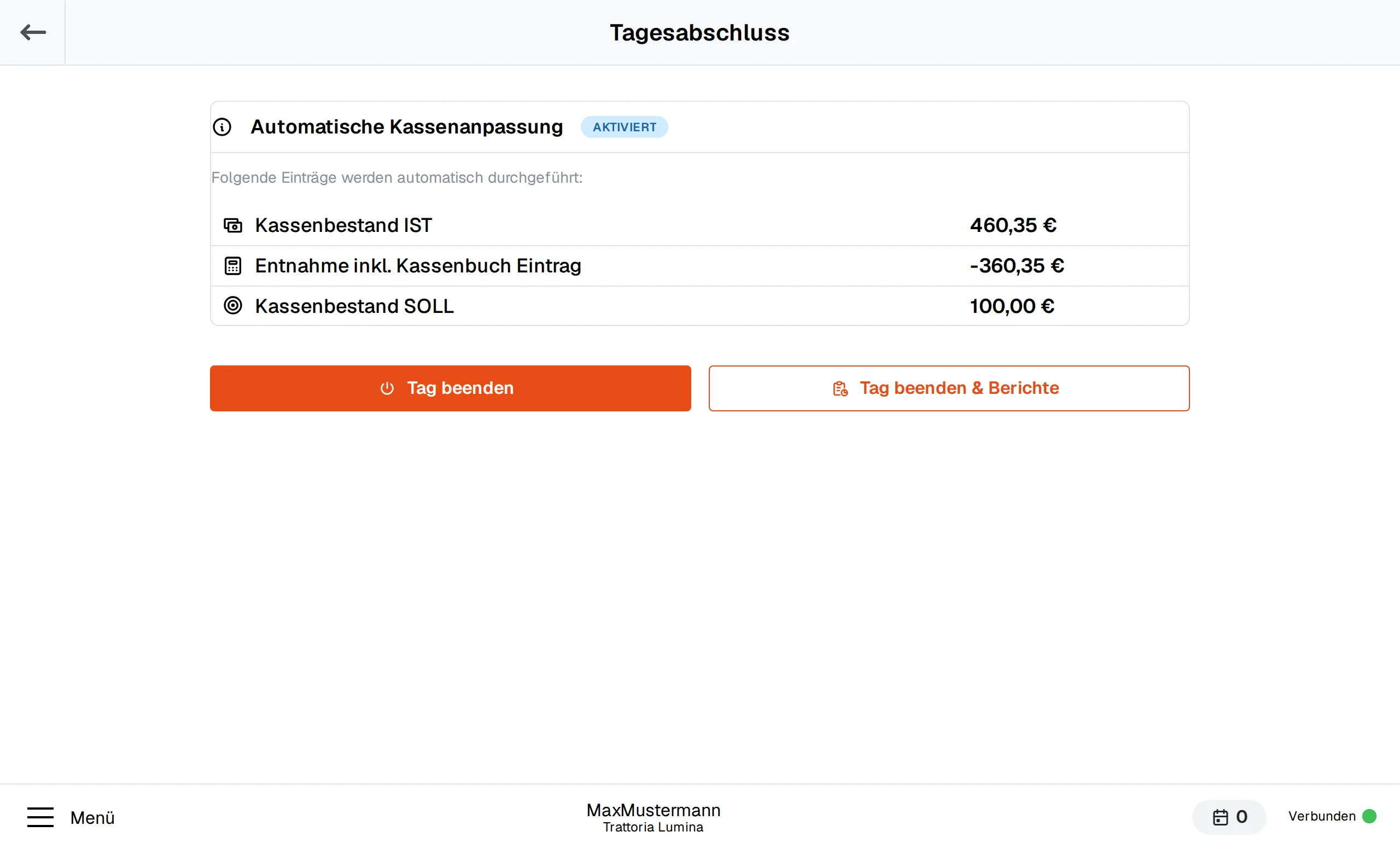
Closing in two minutes, DATEV automatic.
Count the cash, tap close – cash book and TSE archive are done. The DATEV export goes to your tax firm on schedule.
Matching modules
Modules for restaurants
You add floor plan and reservations as separate modules, each delivery platform individually.
Floor plan & hospitality
Tables, rooms, courses and tickets to kitchen and bar
Details
Table plan with rooms and open orders per table. Orders can be parked per table, split and settled separately or together.
Reservations
Guests book online, your team enters phone bookings at the POS
Details
Reservations for tables, employees or custom resources (e.g. chairs) — directly at the POS with quick access and a note on the table, in the back office and online via the delivery shop with confirmation and cancellation emails. Optional services with duration (hairdressers), online booking confirmed instantly or as a request.
Card terminal
The amount goes straight to the debit and credit card terminal
Details
Direct connection of debit/credit card terminals via ZVT or OPI: the amount is passed to the terminal automatically, the payment status lands directly on the order — no typing errors, no discrepancies.
Lieferando
Orders straight into the POS
Details
Lieferando/Takeaway.com orders arrive directly in the POS, where they are accepted and settled — no separate tablet needed.
Uber Eats
Orders straight into the POS
Details
Uber Eats orders arrive directly in the POS, where they are accepted and settled — no separate tablet needed.
Wolt
Orders straight into the POS
Details
Wolt orders arrive directly in the POS, where they are accepted and settled — no separate tablet needed.
Example configuration
Restaurant with 60 seats
Also runs without internet: on-site POS with two workstations and hardware TSE on the device.
- On-site POS (Edge), 2 POS terminals
- Restaurant module with table plan
- Reservations
- Hardware TSE (Swissbit)
- Payment terminal
- Cash book
Frequently asked questions
How many POS terminals does a restaurant need?
Usually two: one at the counter, one mobile on the floor. Each additional phone is another workstation – bookable per location.
Does the kitchen also work without a receipt printer?
Yes. The kitchen ticket is the standard, but orders can also be shown as a list on a tablet in the kitchen. We clarify what fits better in the consultation.
What happens to reservations if a guest doesn't show up?
The table becomes free again in the occupancy plan, the reservation stays documented as “no-show”.
Next step
In 30 minutes you'll know if shoptimo fits.
We advise you personally: which modules your business needs, what it costs and how the switch works. Pick a slot in the calendar or request a callback.
- Reply on the same working day
- We import your items from your old till
- Cancel monthly
Arrange a callback
Name, number and preferred time – we'll get back to you.